
Contents of Article
-
Export Project
-
Include Media in VTF Creation
- Import VTF with Media to Create a New Event
How to use VTF and include Media for a Specific Event
1.) File Export (from the Settings > Video Tab)

2.) Name & Choose save location & Check "Include Media"
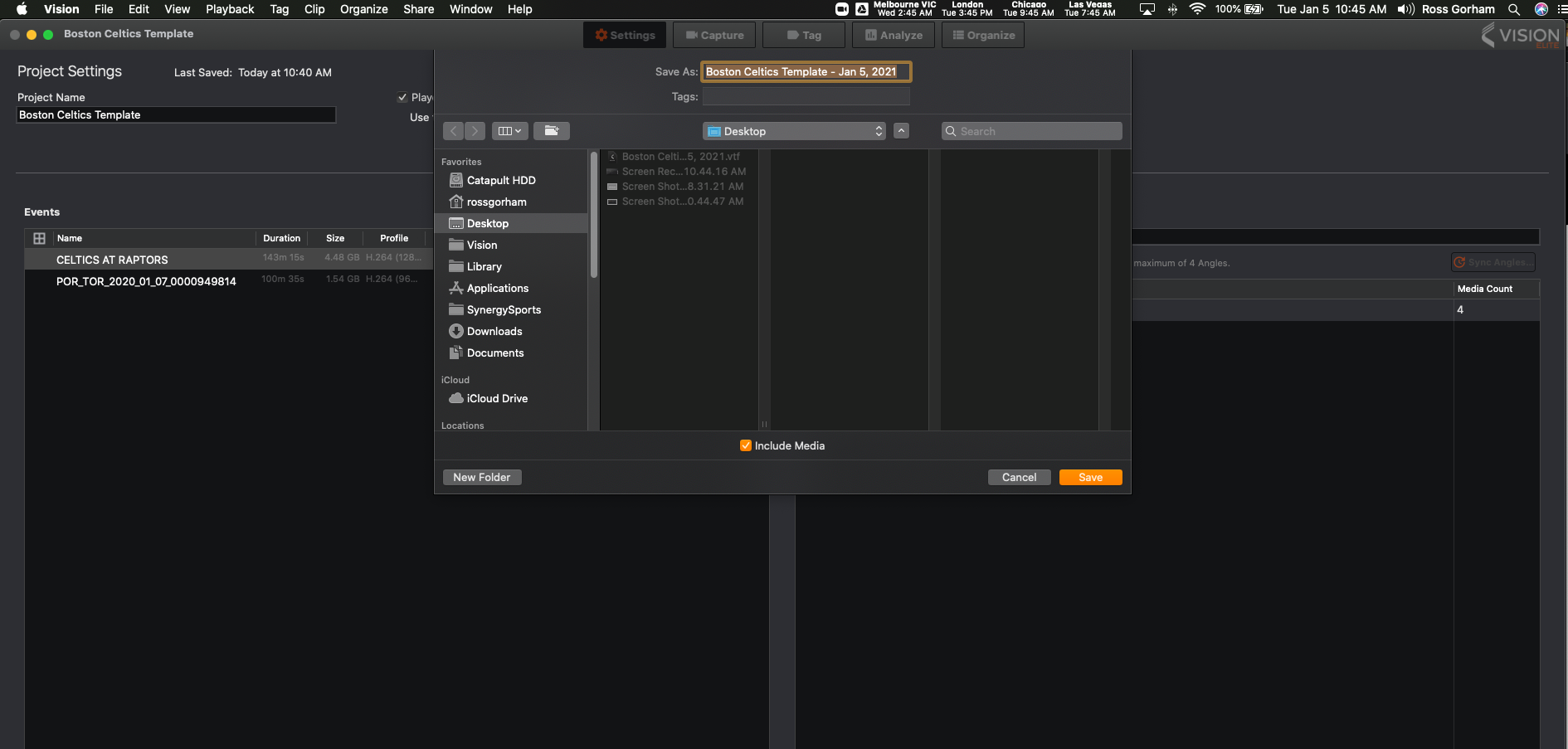
5.) Transfer to desired computer
6.) Create a new Project or open project you wish to Import to
7.) File > Import > Vision Transfer File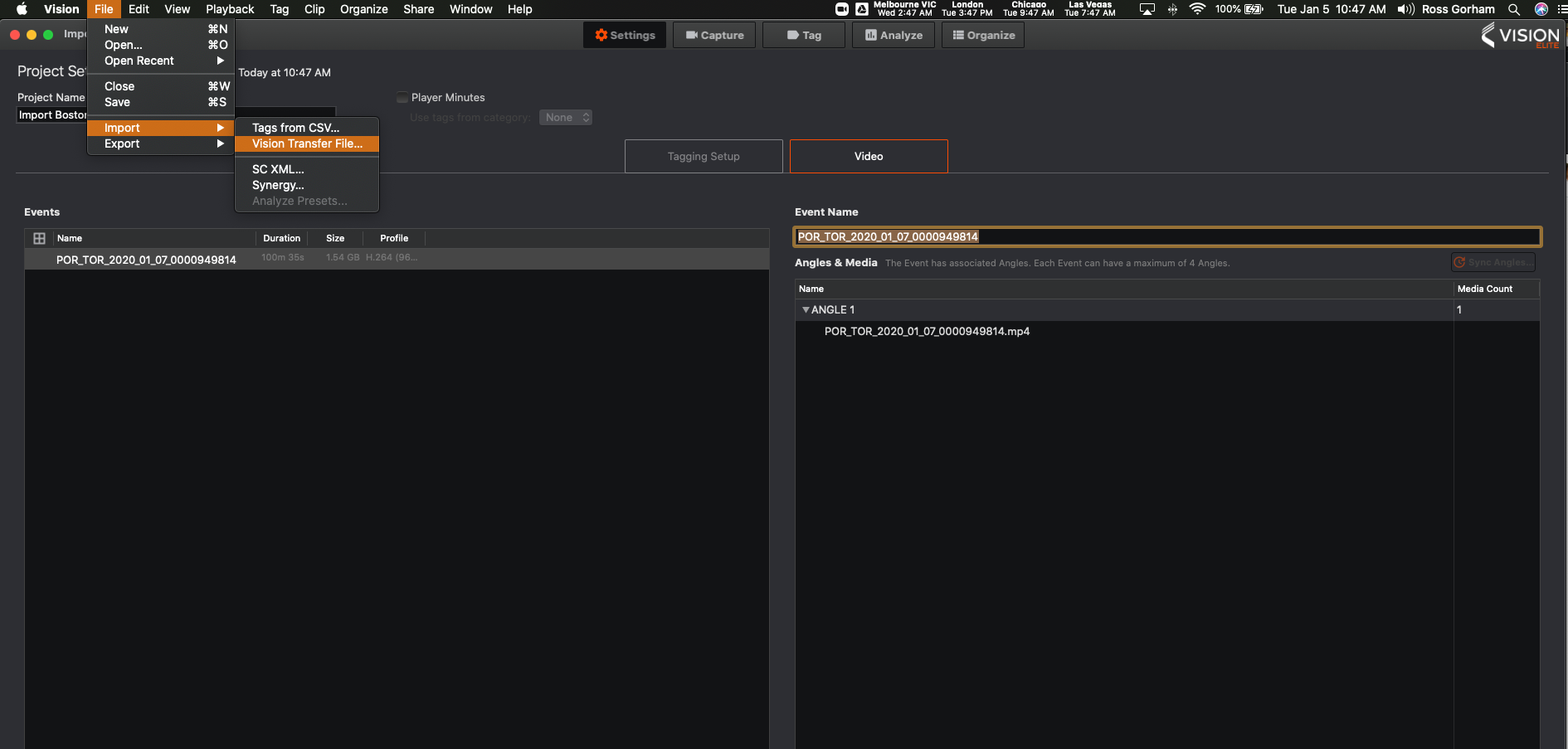
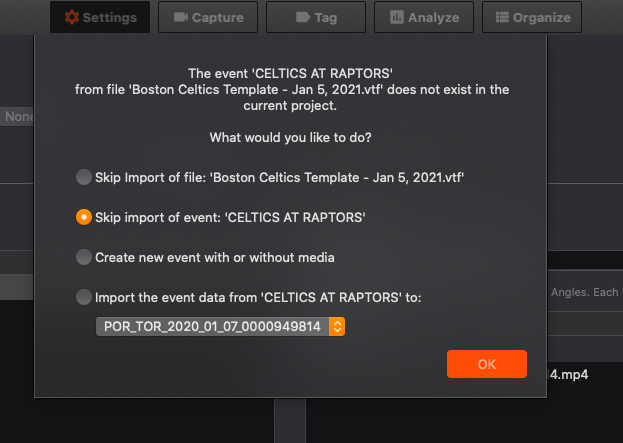
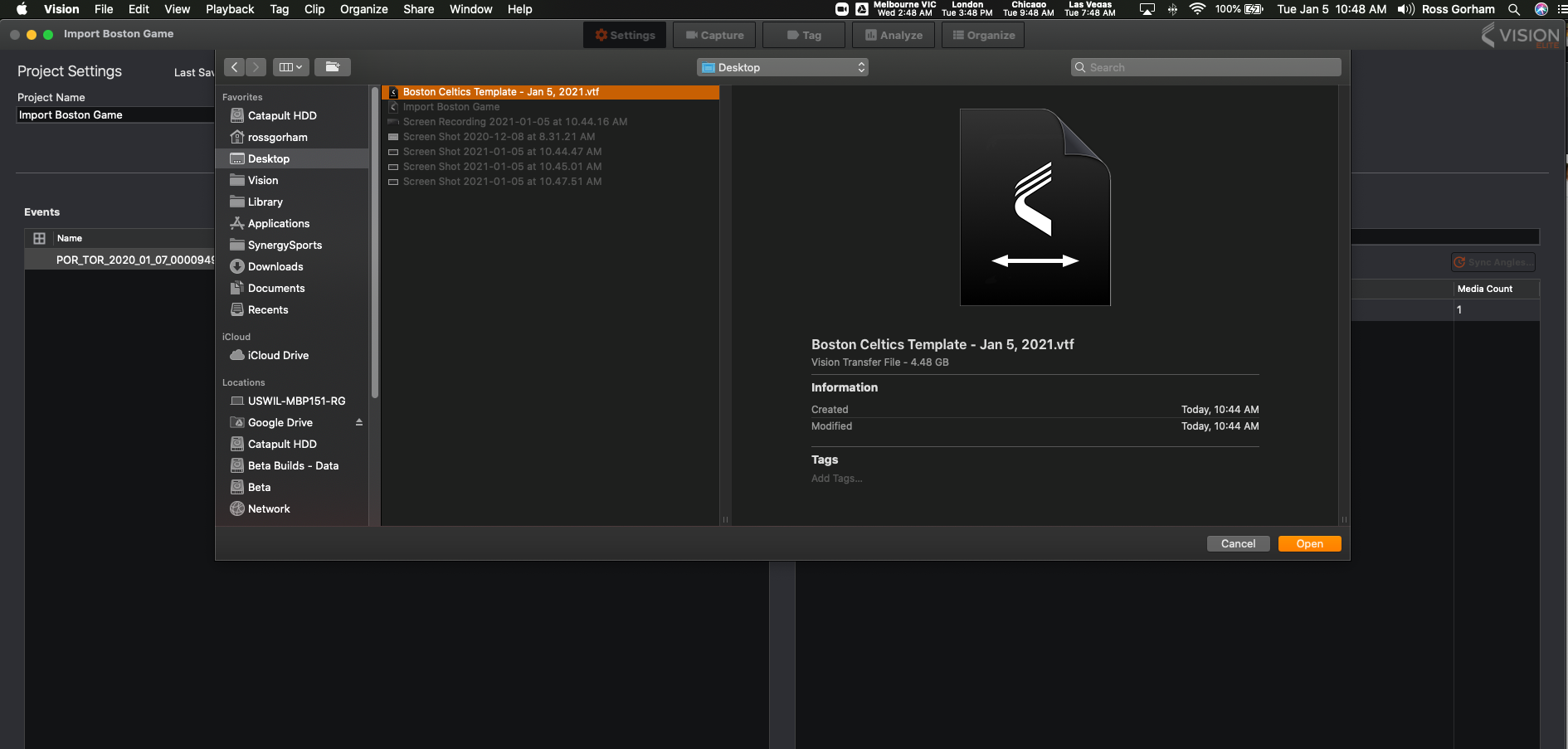 8.) Follow Prompts
The pop out window allows for
-
- Skipping the entire VTF
- Skipping a single event within the VTF
- Create a New Event (timeline) with or without media- this depends on the VTF created
- Import the VTF Data to an existing Piece of Media- just the data in the VTF
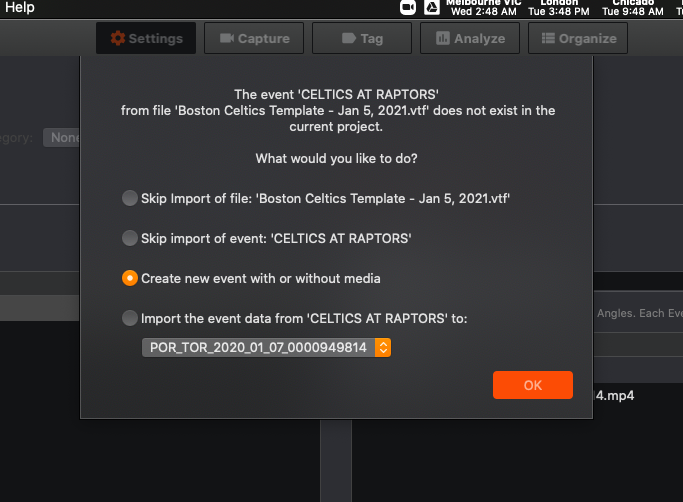
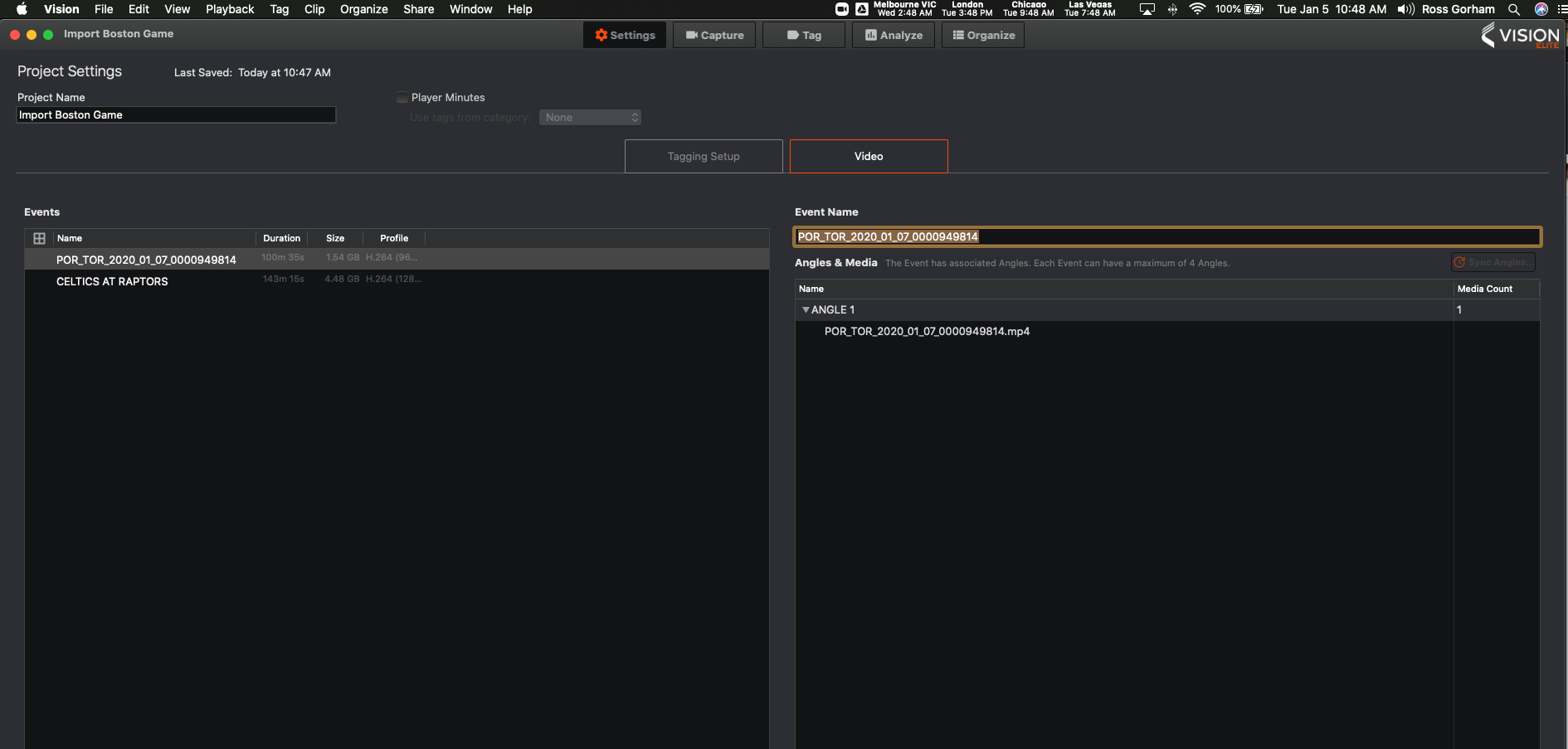
9.) In this case the imported VTF, created a New Event
Comments
0 comments
Please sign in to leave a comment.