
Capture Tab: Unable to Toggle Capture On
Symptom: Status: Capture Off
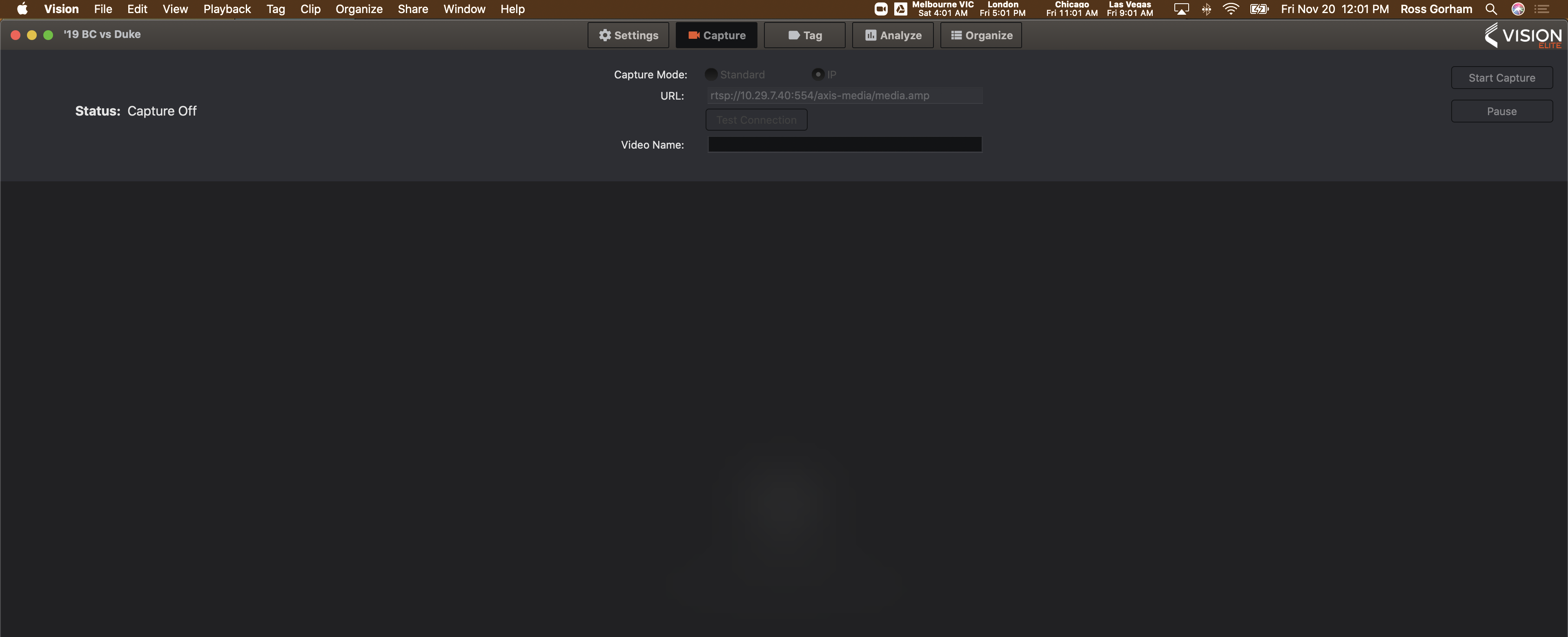
Close out of Vision (command + q)
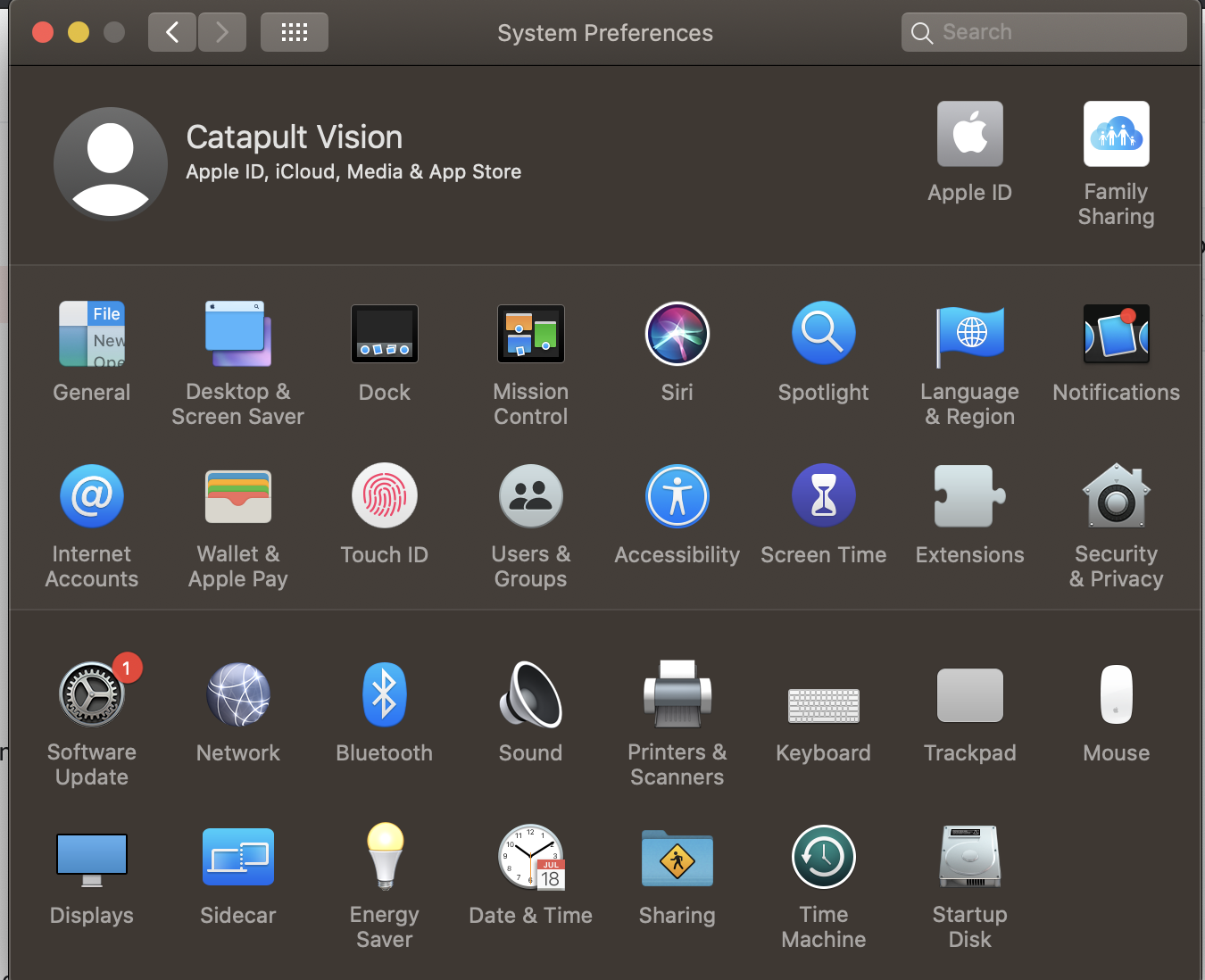
Launch: System Preferences
Select: Security & Privacy
Select: Privacy Tab
Select: Camera & Check Off The Vision Application
*You may need to unlock permission via hitting the lock in lower left & the user credentials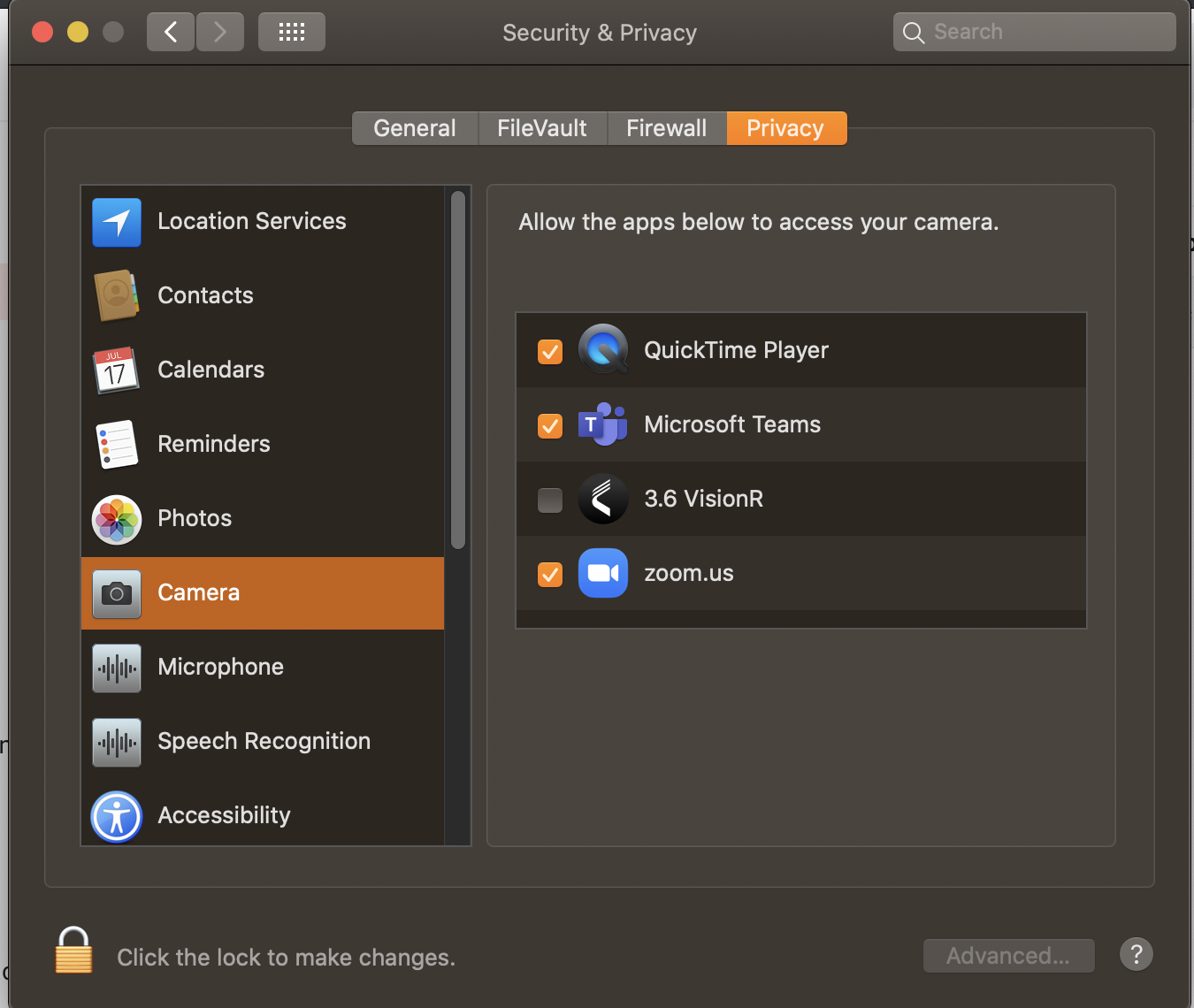
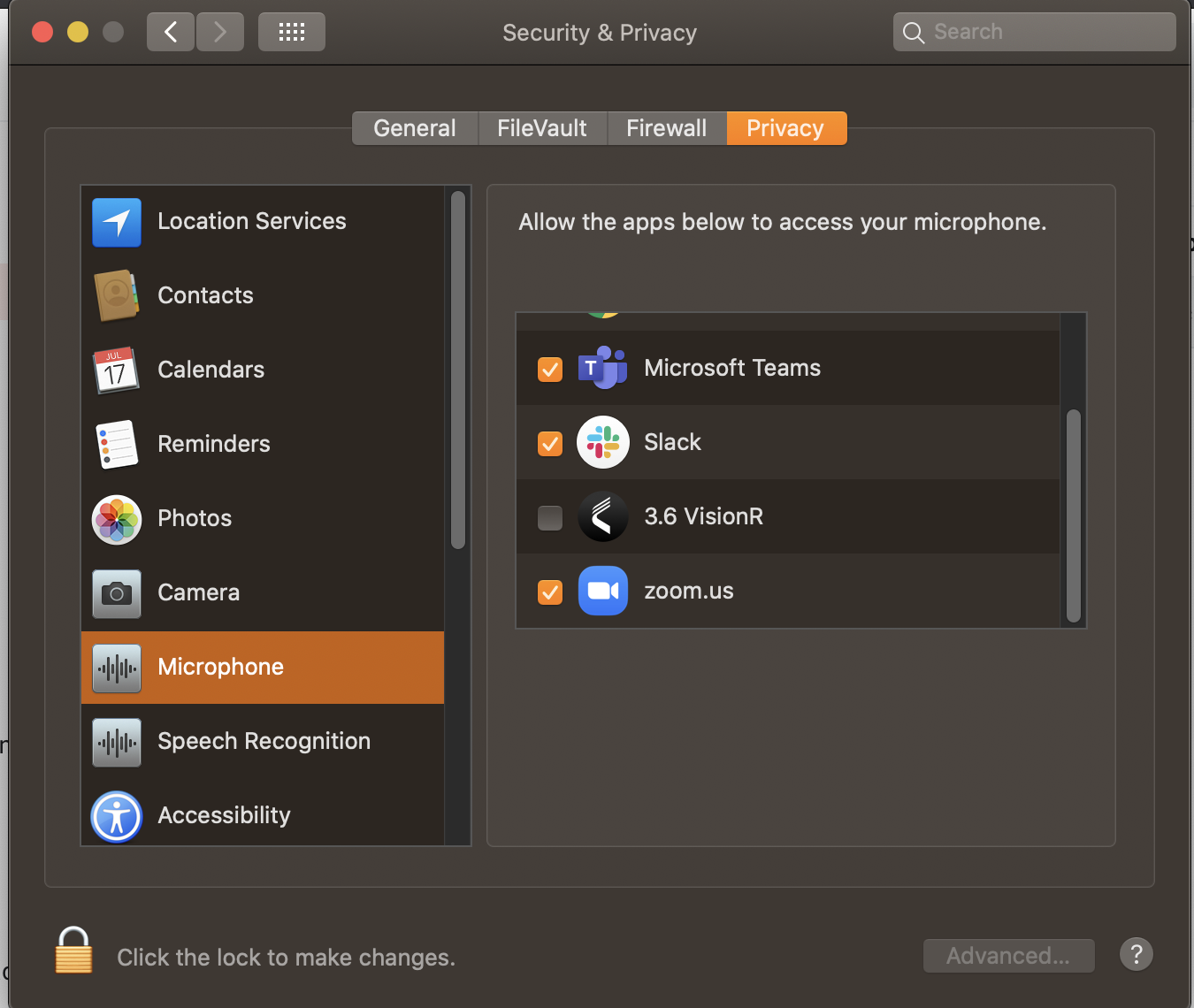
Select: Microphone & Check Off The Vision Application
Comments
0 comments
Please sign in to leave a comment.