
Vision Export
PlayerTek to Vision
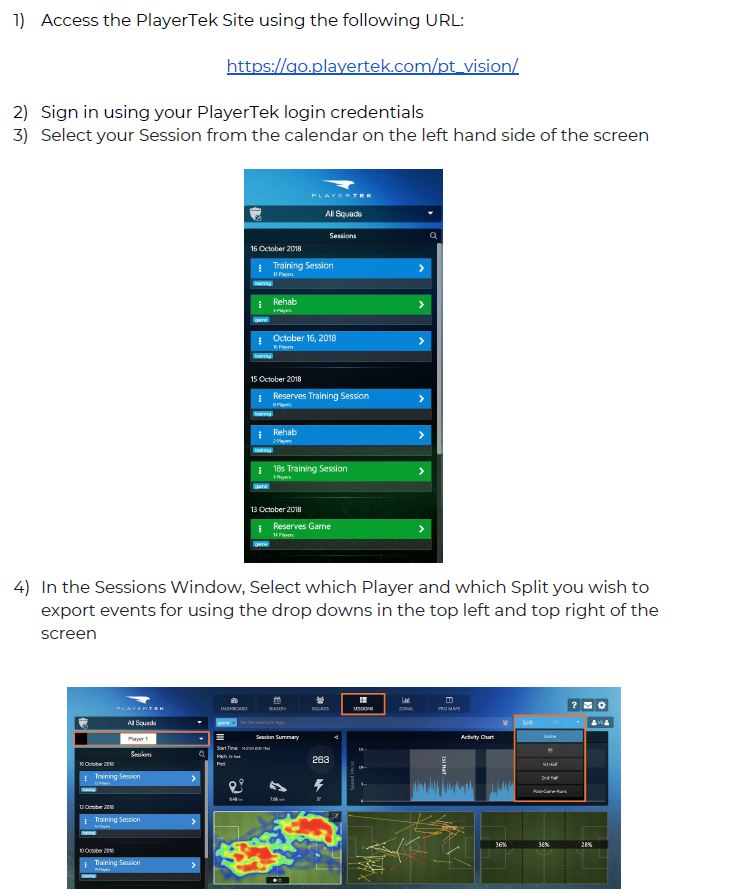
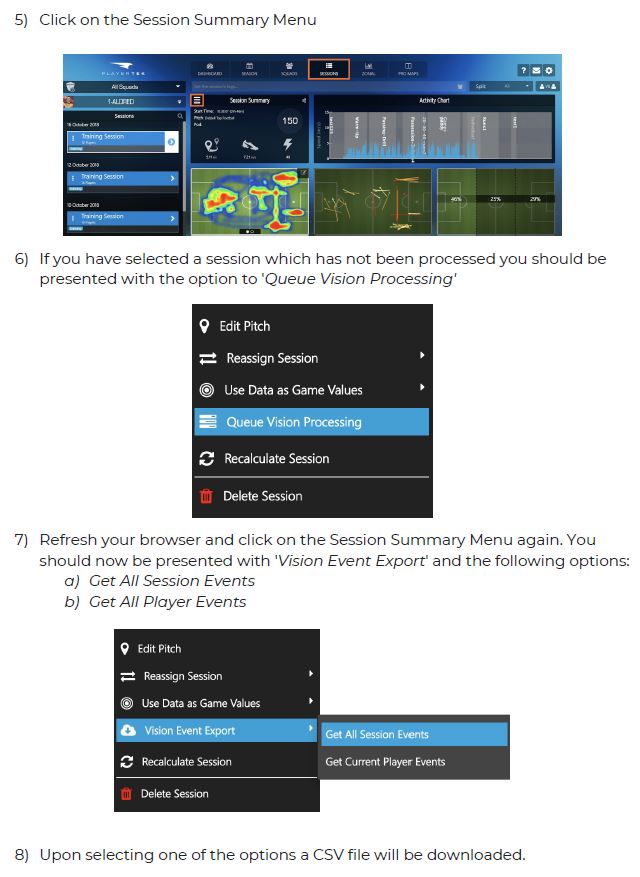
Steps to Complete in PlayerTek:
Steps to complete in Catapult Vision:
1) Open Catapult Vision, load in your video file and any additional tags you wish
to use in your project in the “Settings” tab.
2) Select the “Tag” tab
3) You will notice the option to click “File” in the Apple menu bar at the top of
the screen. Scroll down and select “Import”, then select “Tags from CSV”
4) Select your downloaded CSV file, and your tags should import into Catapult
Vision.
Note: If the tags do not line up with the video, you have the option to offset them so
they line up properly after they have been imported.
● To do this, using the playhead, select a known instance on your timeline (a
high acceleration, IMA event, a Jump event etc) that you can match up to your
video.
Comments
0 comments
Please sign in to leave a comment.