Note: The Catapult Vision Help Centre is closing on 30 June 2026.
Discover our latest Video Analysis Solutions or contact your representative for transition support.
Login to the Admin Account that you were given. You will only be able to delete media from here.
Once in, you can delete the whole project, all of the playlists in the project, but keep the project as an option, or a playlist in a project.
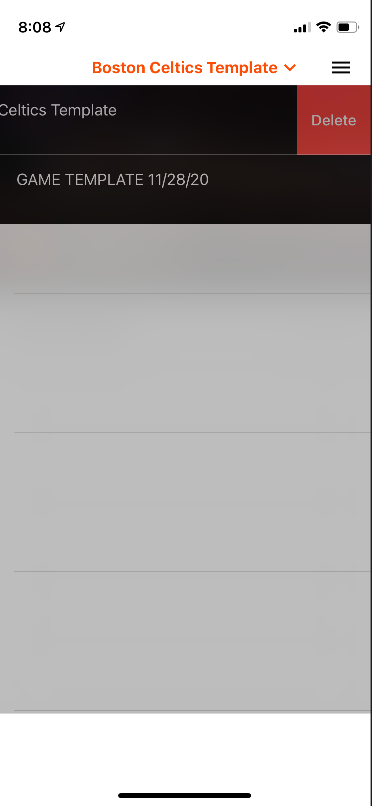
To delete a whole project, open the dropdown at the top of the screen, and swipe right to left on the one that you want to delete. This will delete the project from the dropdown menu and the playlists for all users.
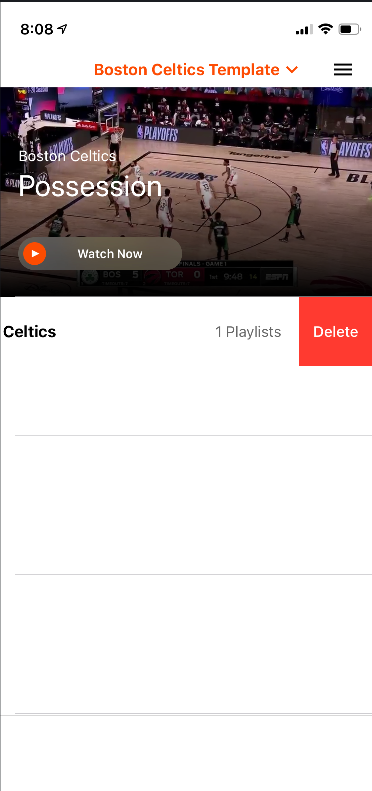
To Delete all of the playlists in the project, but leave the project in the dropdown, open the project from the dropdown at the top. Then swipe right to left on the playlists to delete them for all users.
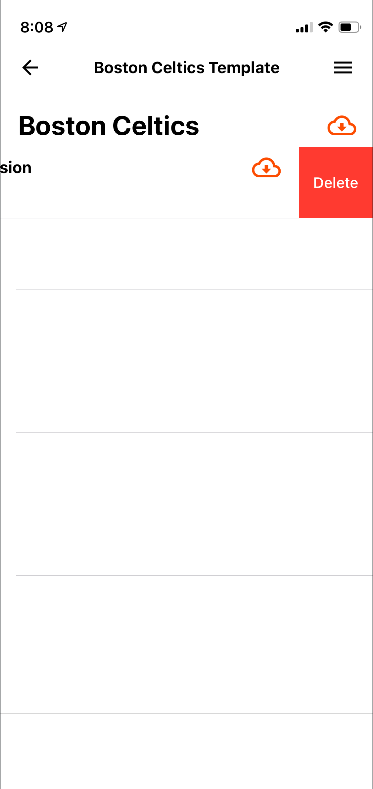
To delete a playlist in a project, choose the project from the dropdown, and open up the playlists. Find the playlist(s) you want to delete, and swipe right to left to get the delete option. This will delete it for all users.

Comments
0 comments
Please sign in to leave a comment.