Note: The Catapult Vision Help Centre is closing on
30 June 2026 .
Discover our latest
Video Analysis Solutions or contact your representative for transition support.
Licensing SSL Error- Endpoint Check
Follow
Issue: SSL Error
List of Symptoms
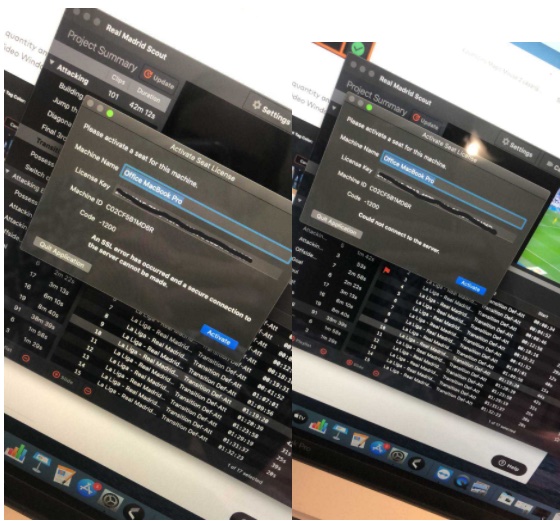
An SSL Error has occurred and a secure connection to the server cannot be made
Could not connect to the server
Cause
Endpoint to licensing cannot be reached
Activation window persists
Test
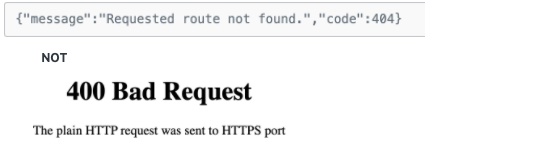
See if the user can get to these:
Return should be
Resolution or Troubleshooting Steps:
Get to another internet/wifi/hotspot connection to license Vision
IT likely will need to whitelist the addresses
Was this article helpful?
0 out of 0 found this helpful
Have more questions?
Submit a request

Comments
0 comments
Please sign in to leave a comment.